· Benjamin Justice · 7 min read
Fire TV Hardware Overview (2022)
Let's have a look at all Fire TV devices and determine which devices we want to target and which devices you should deprecate.
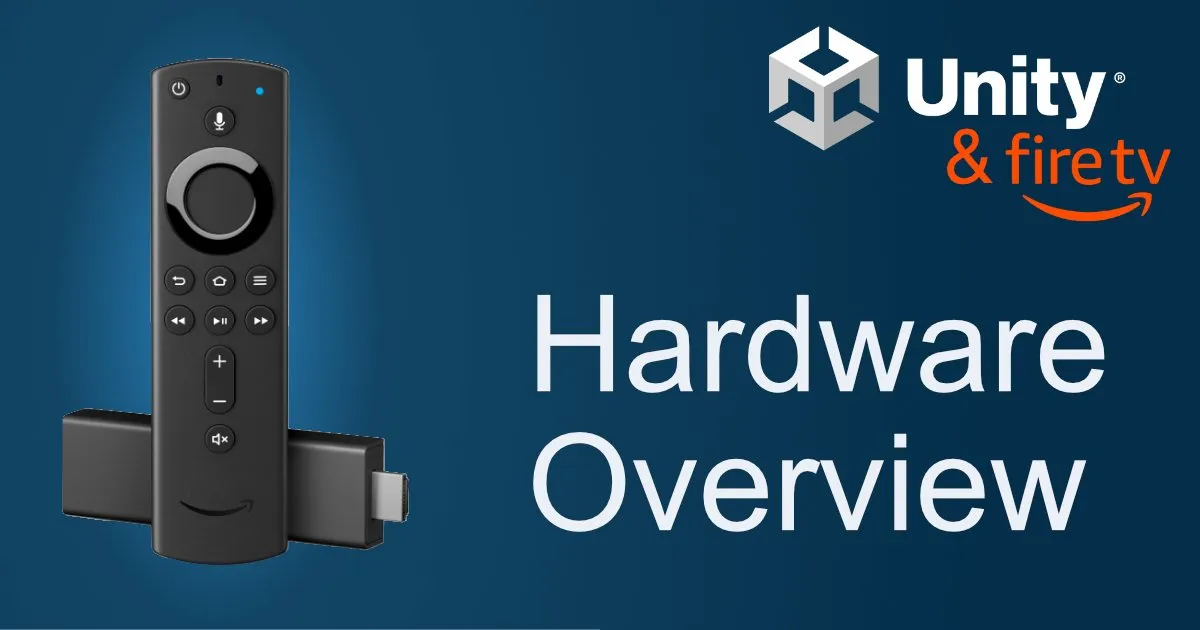
Fire TV development with Unity is quite simple once you figure it out. However, there is only little documentation on the topic. Let’s change that!
With the small amount of games available for Fire TV, it’s an interesting opportunity.
While porting our game Doki Doki Ragnarok to Fire TV, we learnt a lot about the platform. From building and deploying the games to supporting the Fire TV remote.
In this first article, we ‘ll have a look at all Fire TV devices and determine which devices we want to target and which devices you should deprecate.
Identifying Your Devices
You can identify your Fire TV Stick using the model numbers printed on the back. AFTVnews has an extensive article on identifying all Fire TV models.
Reference Devices
If you are just here to see which devices you should buy for development, we got you covered:
Reference Device for 2D Games
For 2D games we recommend getting the Fire TV Stick 2. Gen (2016-2019) if you can get one. This is the slowest Fire TV stick you will still find “out in the wild”.
If you cannot got your hands on a 2. generation Fire TV Stick, you can go for the 3. generation Fire TV Stick. When reaching clean 30 fps on a 3. generation stick, your game should be “playable” on a 2. generation stick.
As I mention in the Processors Section, users of the Fire TV Stick 2. generation are used to “subpar” performance throughout the entire experience.
Show/Hide Specs for 2D Reference Device
| Specification | Fire TV Stick 2. Gen |
|---|---|
| Model Name | Fire TV Stick 2. Gen (2016-2019) |
| Processor (CPU) | 4 x 1.3Ghz |
| CPU Type | 32-Bit |
| Memory | 1GB |
| Open GL ES | Version 2.0 |
| Android API Level | 22 (Android 5.1) |
| Storage | 8GB |
Reference Device for 3D Games
For 3D games we have two possible recommendations: A Fire TV Stick 3. Generation (2020) or a Fire TV Stick 4K (2018).
The main difference here is that the 4K stick has 1.5GB RAM, whereas the Fire TV Stick 3. Generation only has the “default” 1GB RAM.
Show/Hide Specs for 3D Reference Devices
| Specification | Fire TV Stick 3. Gen | Fire TV Stick 4K |
|---|---|---|
| Model Name | Fire TV Stick | Fire TV Stick 4K 1. Gen (2018) |
| Processor (CPU) | 4 x 1.7Ghz | 4 x 1.7Ghz |
| CPU Type | 32-Bit | 32-Bit |
| Memory | 1GB | 1.5GB |
| Open GL ES | Version 3.2 | Version 3.2 |
| Android API Level | 28 (Android 9) | 25 (Android 7.1) |
| Storage | 8GB | 8GB |
Fire TV Hardware Overview
The first thing we have to look at is our hardware and the supported APIs: What’s the “minimum” feature set we have to keep in mind?
Processors (CPU)
Starting from 2016, all devices have quad-core CPUs. They are even reasonably fast, excluding the “Fire TV Stick 2. Gen (2016-2019)” and the “Fire TV Stick Basic (2017)”. These two sticks offer a slow and poor Fire TV experience out of the box nowadays, so I doubt people will get angry if your game does not run at stable 30/60 fps. The 1.7 GHz processors perform decently and reaching 30 fps should be very realistic.
Show/Hide Comparison Table
| Device | CPU |
|---|---|
| Fire TV Stick 4K Max 1. Gen (2021) | 4 x 1.8Ghz |
| Fire TV Stick 3. Gen (2020) | 4 x 1.7Ghz |
| Fire TV Stick Lite 1. Gen (2020) | 4 x 1.7Ghz |
| Fire TV Stick 2. Gen (2016-2019) | 4 x 1.3Ghz |
| Fire TV Stick 4K 1. Gen (2018) | 4 x 1.7Ghz |
| Fire TV Stick Basic (2017) | 4 x 1.3Ghz |
| 2 x 1.0Ghz | |
| Fire TV 3. Gen (2017) | 4 x 1.7Ghz |
| Fire TV 2. Gen (2015) | 4 x 1.7Ghz |
| Fire TV 1. Gen (2014) | 4 x 1.7Ghz |
| Fire TV Cube 3. Gen (2022) | 8 x 2.0Ghz |
| Fire TV Cube 2. Gen (2019) | 6 x 1.9Ghz |
| Fire TV Cube 1. Gen (2018) | 4 x 1.5Ghz |
Memory (RAM)
Starting from 2016, all devices have 1GB of memory to work with (the system does require some RAM too, so be careful there. Working with 2D projects should be okay within these limitations.
If you have a more demanding game you may only support the 4K TV Sticks. They have at least 1.5GB of RAM and the naming is easy for consumers: “only supported on 4K sticks”.
Show/Hide Comparison Table
| Device | Memory (RAM) |
|---|---|
| Fire TV Stick 4K Max 1. Gen (2021) | 2GB DDR4 |
| Fire TV Stick 3. Gen (2020) | 1GB DDR4 |
| Fire TV Stick Lite 1. Gen (2020) | 1GB DDR4 |
| Fire TV Stick 2. Gen (2016-2019) | 1GB |
| Fire TV Stick 4K 1. Gen (2018) | 1.5GB DDR4 |
| Fire TV Stick Basic (2017) | 1GB |
| 512MB usable | |
| Fire TV 3. Gen (2017) | 2GB |
| Fire TV 2. Gen (2015) | 2GB |
| Fire TV 1. Gen (2014) | 2GB |
| Fire TV Cube 3. Gen (2022) | 2GB |
| Fire TV Cube 2. Gen (2019) | 2GB |
| Fire TV Cube 1. Gen (2018) | 2GB |
OpenGL ES Support
OpenGL support on Fire TV is a big one. Many Fire TV Sticks still only support OpenGL ES 2.0, while the modern ones support 3.2. If you’re going for a 3D game, you will want to drop support for OpenGL ES 2.0 devices. P.S. The Fire TV devices apparently got an OpenGL ES downgrade in the 3. generation, that’s not a mistake.
Show/Hide Comparison Table
| Device | OpenGL ES Version |
|---|---|
| Fire TV Stick 4K Max 1. Gen (2021) | 3.2 |
| Fire TV Stick 3. Gen (2020) | 3.2 |
| Fire TV Stick Lite 1. Gen (2020) | 3.2 |
| Fire TV Stick 2. Gen (2016-2019) | 2.0 |
| Fire TV Stick 4K 1. Gen (2018) | 3.2 |
| Fire TV Stick Basic (2017) | 2.0 |
| Fire TV Stick 1. Gen (2014) | 2.0 |
| Fire TV 3. Gen (2017) | 2.0 |
| Fire TV 2. Gen (2015) | 3.0 |
| Fire TV 1. Gen (2014) | 3.0 |
| Fire TV Cube 3. Gen (2022) | 3.2 |
| Fire TV Cube 2. Gen (2019) | 3.2 |
| Fire TV Cube 1. Gen (2018) | 2.0 |
Android API Levels
Next up is Android API Level. TLDR: Just target Android API Level 22 (Android 5.1).
This shouldn’t sacrifice any typical gaming features and it will support any Fire TV device.
Show/Hide Comparison Table
| Device | Android API Level |
|---|---|
| Fire TV Stick 4K Max 1. Gen (2021) | 28 (Android 9) |
| Fire TV Stick 3. Gen (2020) | 28 (Android 9) |
| Fire TV Stick Lite 1. Gen (2020) | 28 (Android 9) |
| Fire TV Stick 2. Gen (2016-2019) | 22 (Android 5.1) |
| Fire TV Stick 4K 1. Gen (2018) | 25 (Android 7.1) |
| Fire TV Stick Basic (2017) | 22 (Android 5.1) |
| Fire TV Stick 1. Gen (2014) | 22 (Android 5.1) |
| Fire TV 3. Gen (2017) | 25 (Android 7.1) |
| Fire TV 2. Gen (2015) | 22 (Android 5.1) |
| Fire TV 1. Gen (2014) | 22 (Android 5.1) |
| Fire TV Cube 3. Gen (2022) | 28 (Android 9) |
| Fire TV Cube 2. Gen (2019) | 28 (Android 9) |
| Fire TV Cube 1. Gen (2018) | 25 (Android 7.1) |
Storage
Storage is simple.
- Fire TV Sticks have 8GB of storage.
- Fire TV Cubes have 16GB of storage.
- Fire TVs have 8GB of storage and have a slot for USB sticks.
It is technically possible to expand the Fire TV Stick storage, but it requires an extra adapter. So just keep your apk small. You should be safe below 2-3GB. Users need the space for their streaming apps too ;)
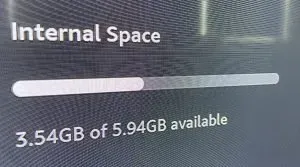
Fire TV Sticks reserve ~2GB for the operating system
Display Resolutions
Fire TV devices are used with a wide variety of displays, so I recommend using a responsive layout for your games aspect ratio.
For Doki Doki Ragnarok we optimized the UI for 16:9 resolutions, but support anything from 4:3 to 21:9
If the display is wider than 21:9, we limit our “safe area” to 21:9 and have the background render as far as the image reaches. Our background images are designed to have a clean cut, so it will render black bars on the edges of ultra wide displays.
These aspect ratios are not special to TV devices. Some modern iPads still use 4:3, Macs use something like 16:10, PCs use anything from 16:10 to crazy “ultra wide monitors”.
Test your App on the following aspect ratios in Unity to be on the safe side:
- 4:3
- 16:10
- 16:9
- 21:9
- 30:9 - Your game must “survive” this aspect ratio, but black bars are fully okay.
As for resolutions, you should support 1080p and 4K resolutions
Conclusion
If you made it this far you might consider having another look at the Reference Devices.
We will be posting more information on Fire TV development with Unity in the near future. Get in touch via Discord or Twitter if you have any questions concerning Fire TV development.
If you’re making a game with Unity, you might like our asset for Fire TV & Android Remotes Support on the asset store.
Some topics we are considering are:
- Setting up a Fire TV Stick for Development
- Necessary (small) changes to build for Fire TV
- Supporting the Fire TV Remote
- Build Scripts to seperate “Google Play” and “Fire TV” android builds
- Releasing an App on the Amazon App Store